The document finish line
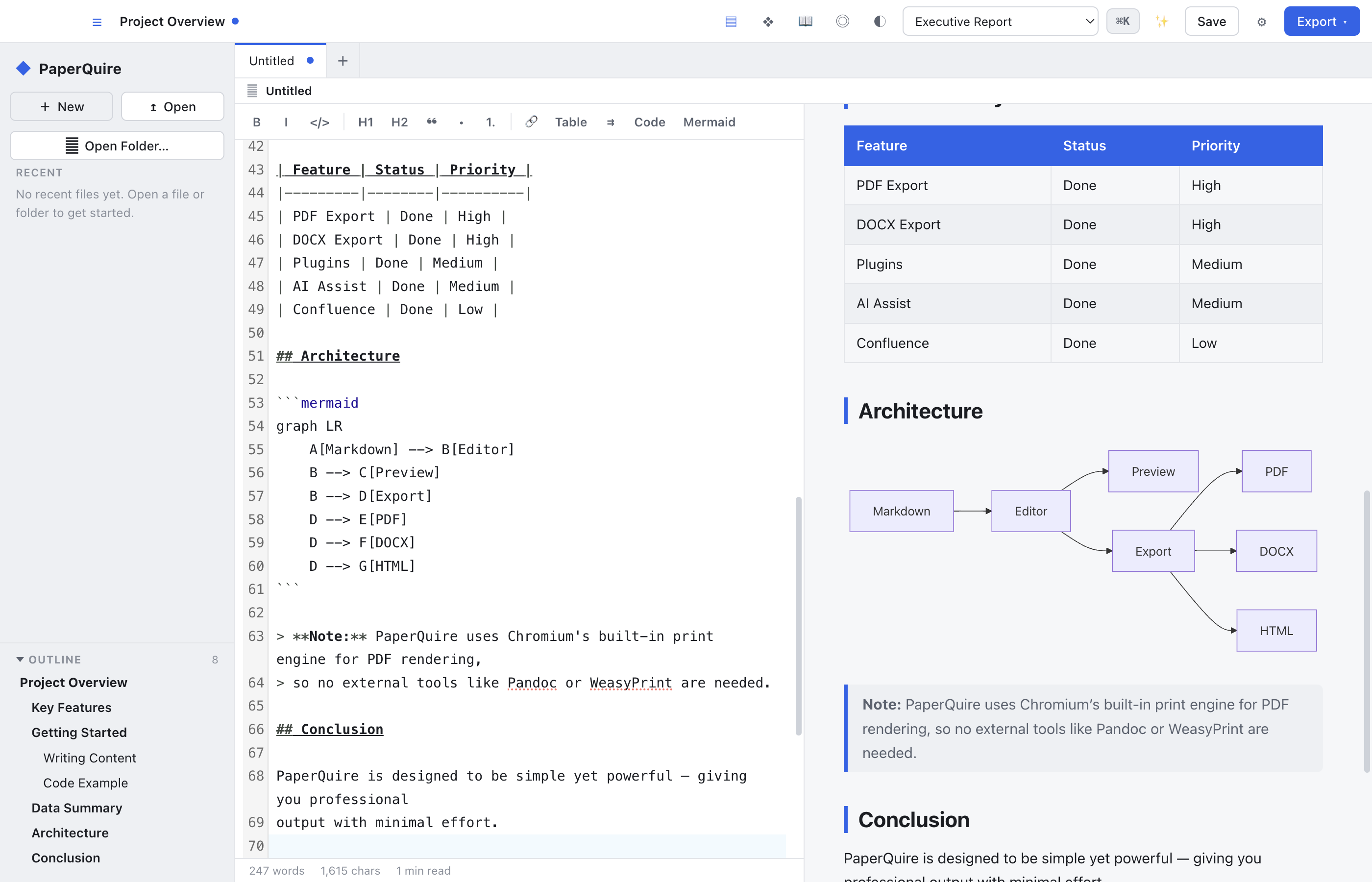
Make your Markdown look professional.
Write in any editor. Export polished, branded documents. 100% offline.
Free for personal use · No account · No upload
Write in any editor. Export polished, branded documents. 100% offline.
Free for personal use · No account · No upload
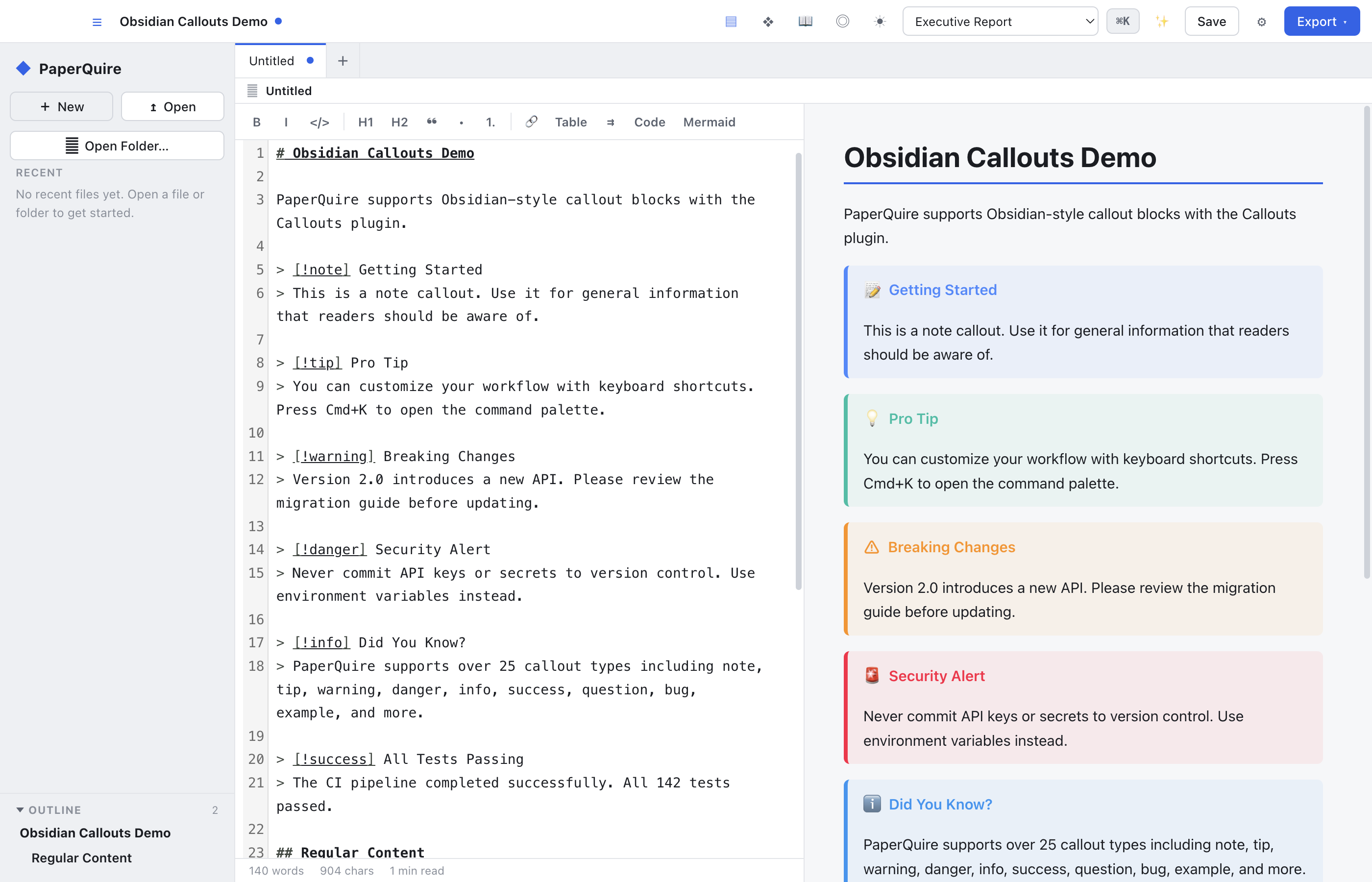
See your document exactly as it will export — tables, diagrams, callouts, and all.
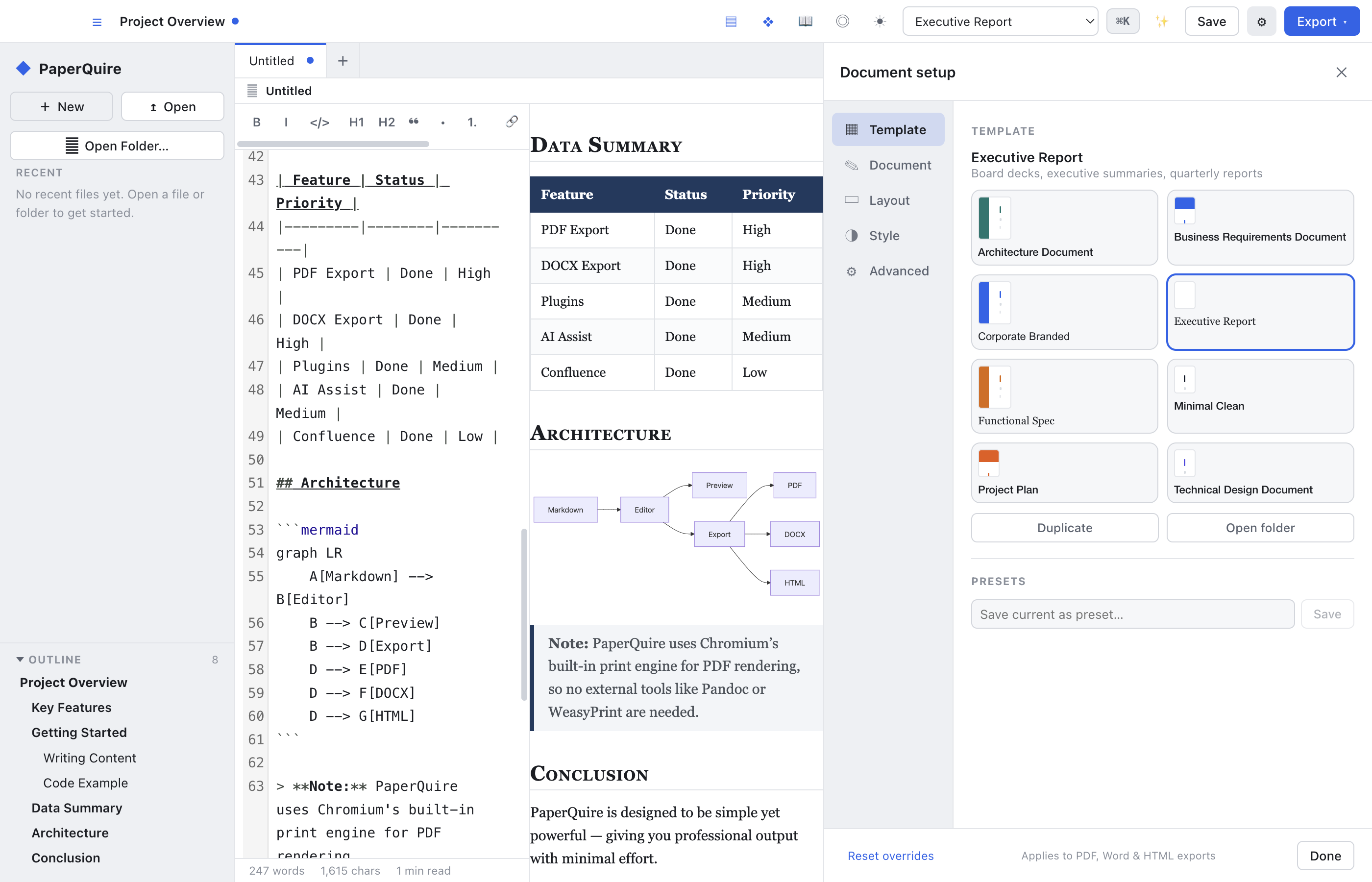
Executive reports, technical designs, project plans — pick a template and export.
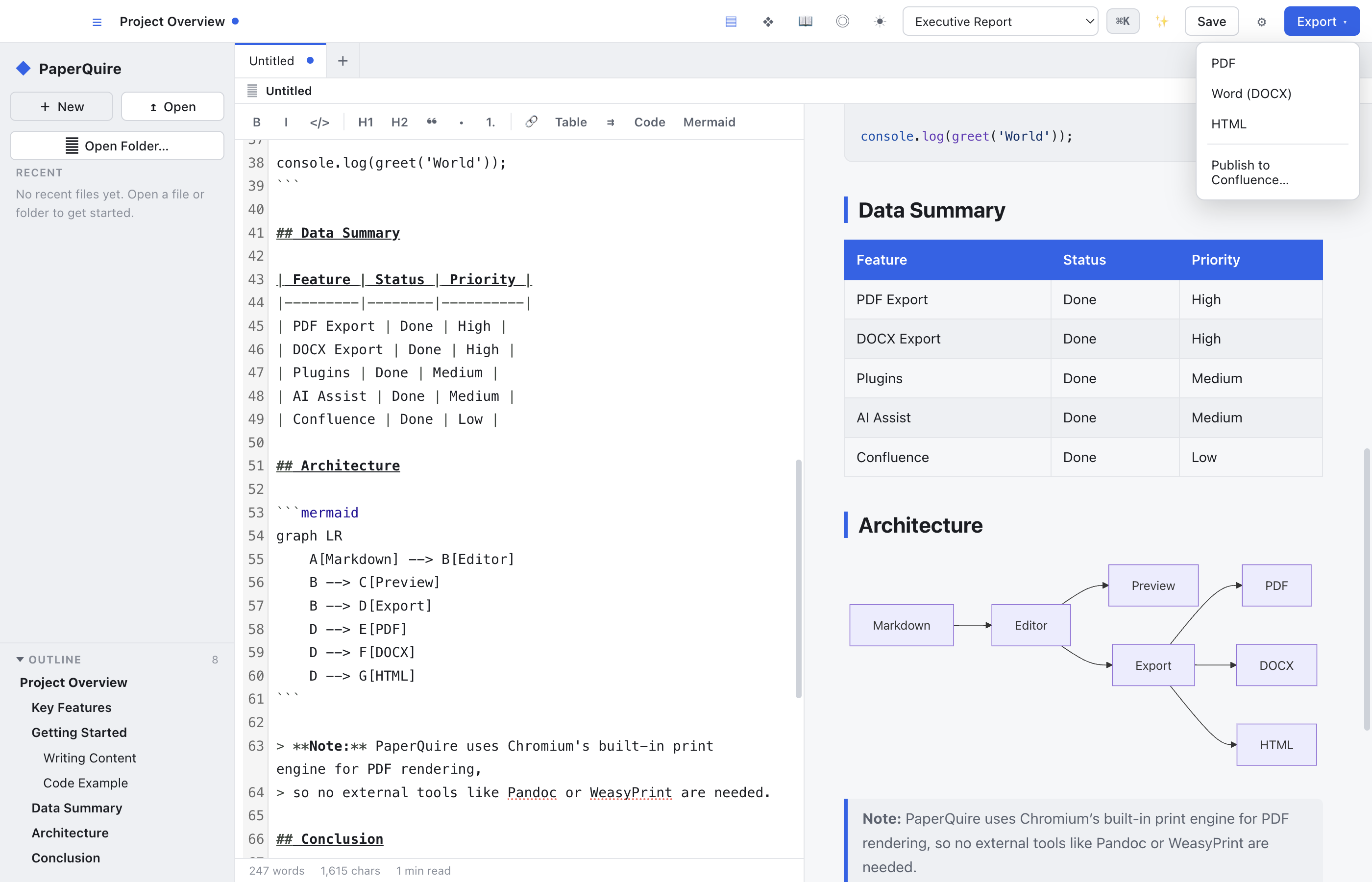
PDF for free. Add DOCX, HTML, and Confluence with Pro.
What you see is what you export — tables, diagrams, callouts, all rendered inline.
Extend PaperQuire with plugins for callouts, emoji, auto-links, and more.
Build a plugin →Bring your own API key. Your content goes directly to your provider — never through us.
Professional layouts, ready to go.
Create a template →One document, every format.
Render Markdown to PDF from the terminal. Batch export entire directories, use config files for repeatable builds, and integrate into CI/CD — all with the same templates and styling as the desktop app.
paperquire report.md
paperquire batch ./docs -o ./out
paperquire templates list
$ paperquire report.md -t corporate --toc
  Template:  corporate
  TOC:       enabled (depth 3)
  Rendering: report.md
  ✓ report.pdf (42 pages, 1.2 MB)

$ paperquire batch ./docs -o ./out --glob "**/*.md"
  Found 12 files
  ✓ 12/12 rendered (3.4s)
PaperQuire speaks MCP. Claude, ChatGPT, Copilot, and any MCP‑compatible agent can call PaperQuire directly to render Markdown into branded, print‑ready PDFs — no copy‑paste, no manual export.
"Render my spec as a PDF with the technical-design template"
"List available templates"
"Batch render all the docs in my project"
{
  "mcpServers": {
    "paperquire": {
      "command": "paperquire",
      "args": ["mcp-server"]
    }
  }
}

// Tools available to your AI agent:
  render          Markdown to PDF
  list_templates  Discover templates
  show_template   Template details
  batch_render    Multi-doc export
Auto-generate branded PDFs on every push. Add one step to your GitHub Actions workflow and every Markdown file becomes a print-ready PDF — same templates, same quality, zero manual effort.
paperquire/render-action@v1
files: 'docs/*.md'
template: executive-report
steps:
  - uses: actions/checkout@v4

  - uses: paperquire/render-action@v1
    with:
      files:  'docs/*.md'
      template: executive-report
      output: build/pdfs

  - uses: actions/upload-artifact@v4
    with:
      name: pdfs
      path: build/pdfs/
PaperQuire renders everything on your machine using the same engine that draws the preview. No cloud round-trip, no account, no document ever uploaded.
$0
$48/year
$48/user/yr